Skip to content

FOR LED DISPLAY BUSINESSES

From screen requirements
to a customer quote

Compare configurations by size, price or margin. The option you select determines the parts list, and the quote uses the specs and prices from that same project.

Configuration · Showroom display
Studio P2.51920 × 960 mm
36 installed modules2 spare modules
Quotation line items generated from the example project
Quotation from project dataUSD 1,974.10

Illustrative project and pricing.

PROJECT WALKTHROUGH · SHOWROOM DISPLAY

Why choose Studio P2.5 for this showroom?

Follow the team as they compare options, check the modules and spares, and turn the materials list into a quote.

From the engineering brief to a quote

Compare
The team compares size, price and margin, then selects Studio P2.5 for the showroom.
Check quantities
The 1920 × 960 mm display needs 36 installed modules plus two spares.
Quote
The project quote totals USD 1,974.10. The document includes an overview, specifications, line items and the total.

View the full example →
01 / Configuration and materials

Which configuration fits the brief?

Studio P2.5 matches the requested dimensions. The lower-priced option is 120 mm narrower, so the rep can ask the customer whether the saving is worth the difference.

Showroom displayRequested size 1920 × 960 mm
Closest fit

Studio P2.5

1920 × 960 mm

USD 1,974.10Selected for this project
Lowest price

Value P2.5

1800 × 900 mm

USD 1,344.90120 mm narrower
Highest profit score

Plus P2.5

2000 × 1000 mm

USD 3,054.0080 mm wider
Materials for the selected configuration

6 columns × 6 rows, plus spares

Installed modules
36
Spare modules
2
Power supplies
6
Receiving cards
4
02 / From materials to quote

Quote the screen you’ve actually specified

The quote uses the project's specifications, quantities and prices. Sales can check the line items and total without re-entering the bill of materials.

Showroom display · Quote previewFrom the selected configuration

Project figures used in the quote

Display dimensions
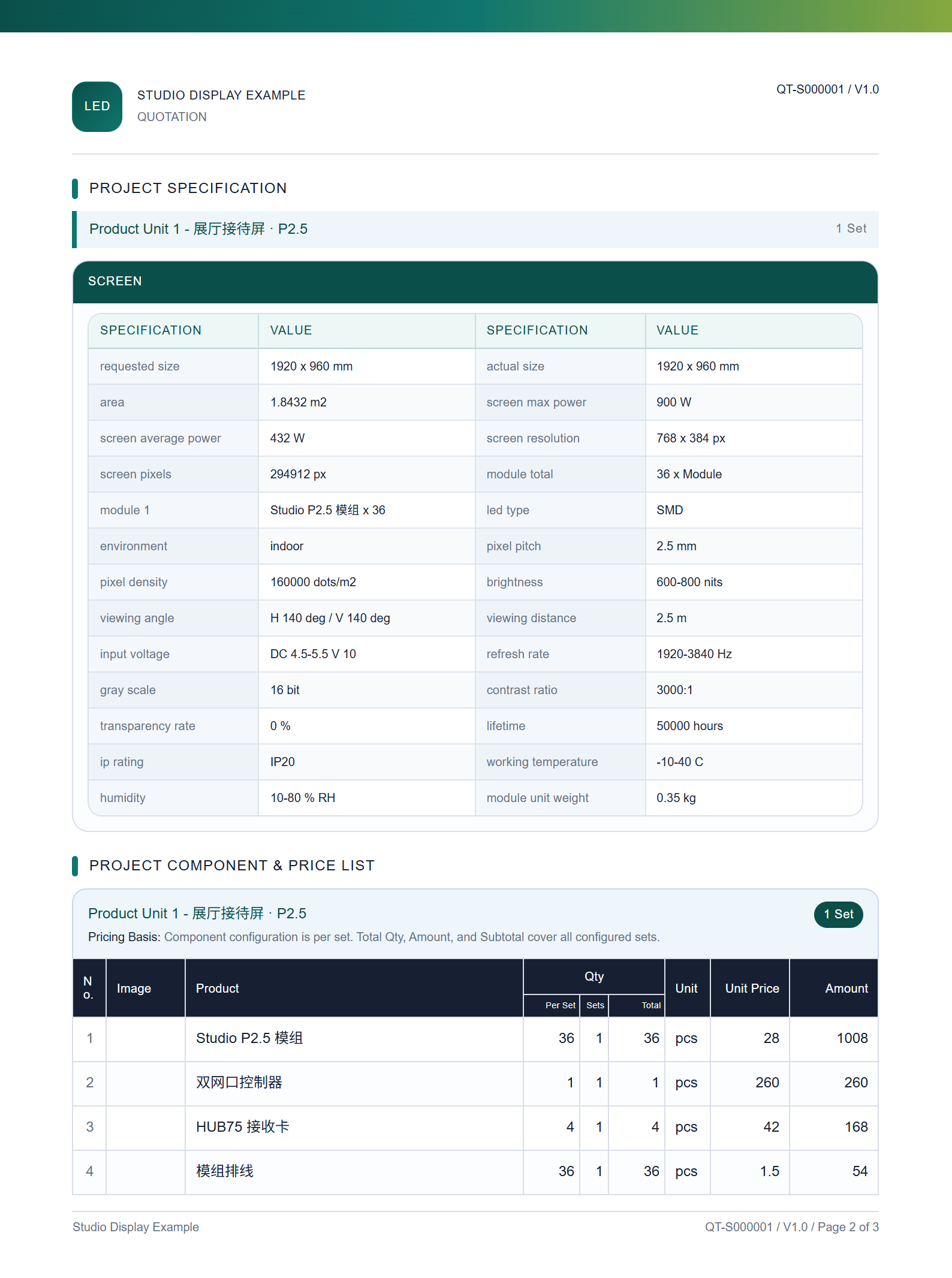
1920 × 960 mm
Quote total
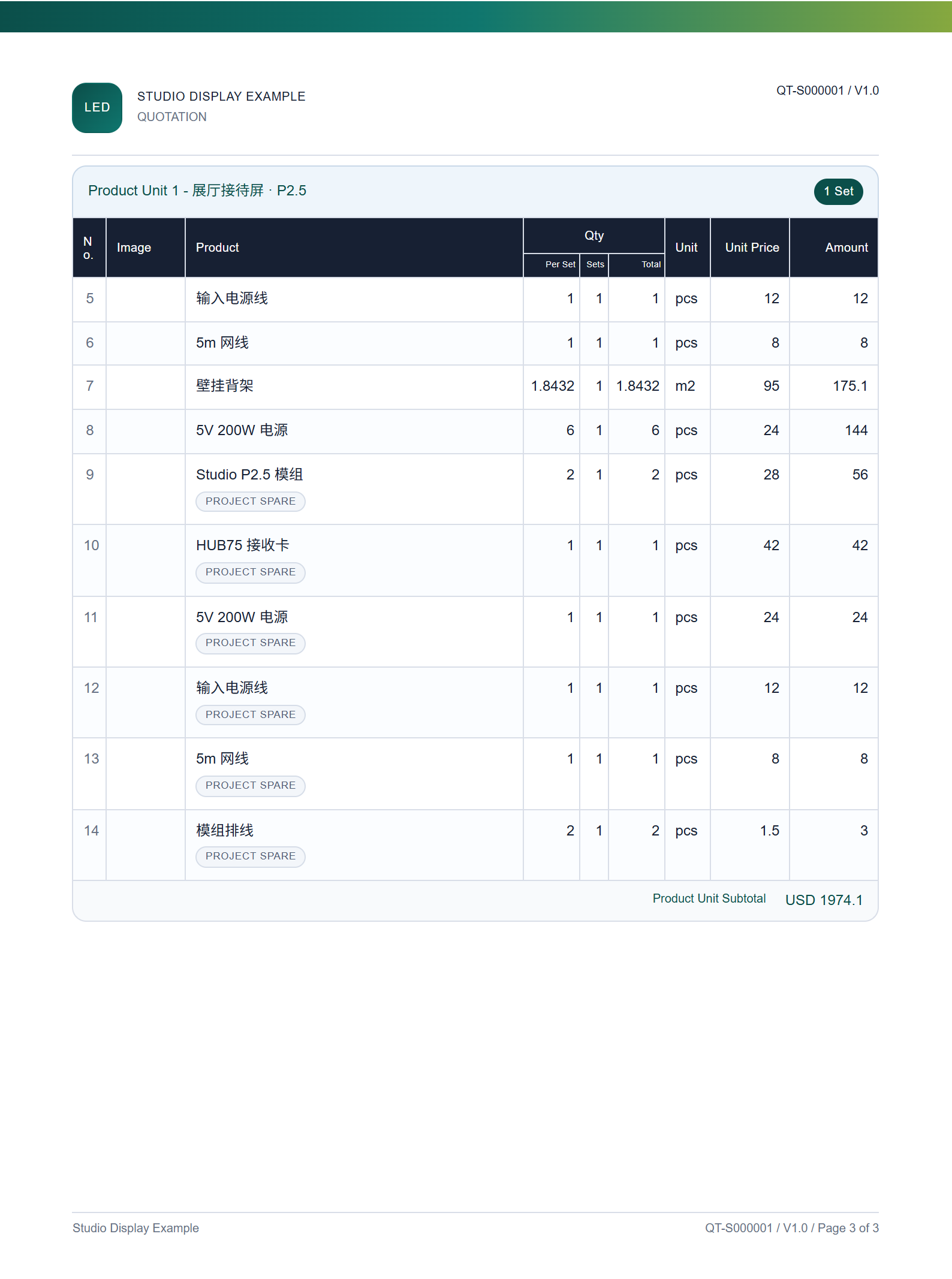
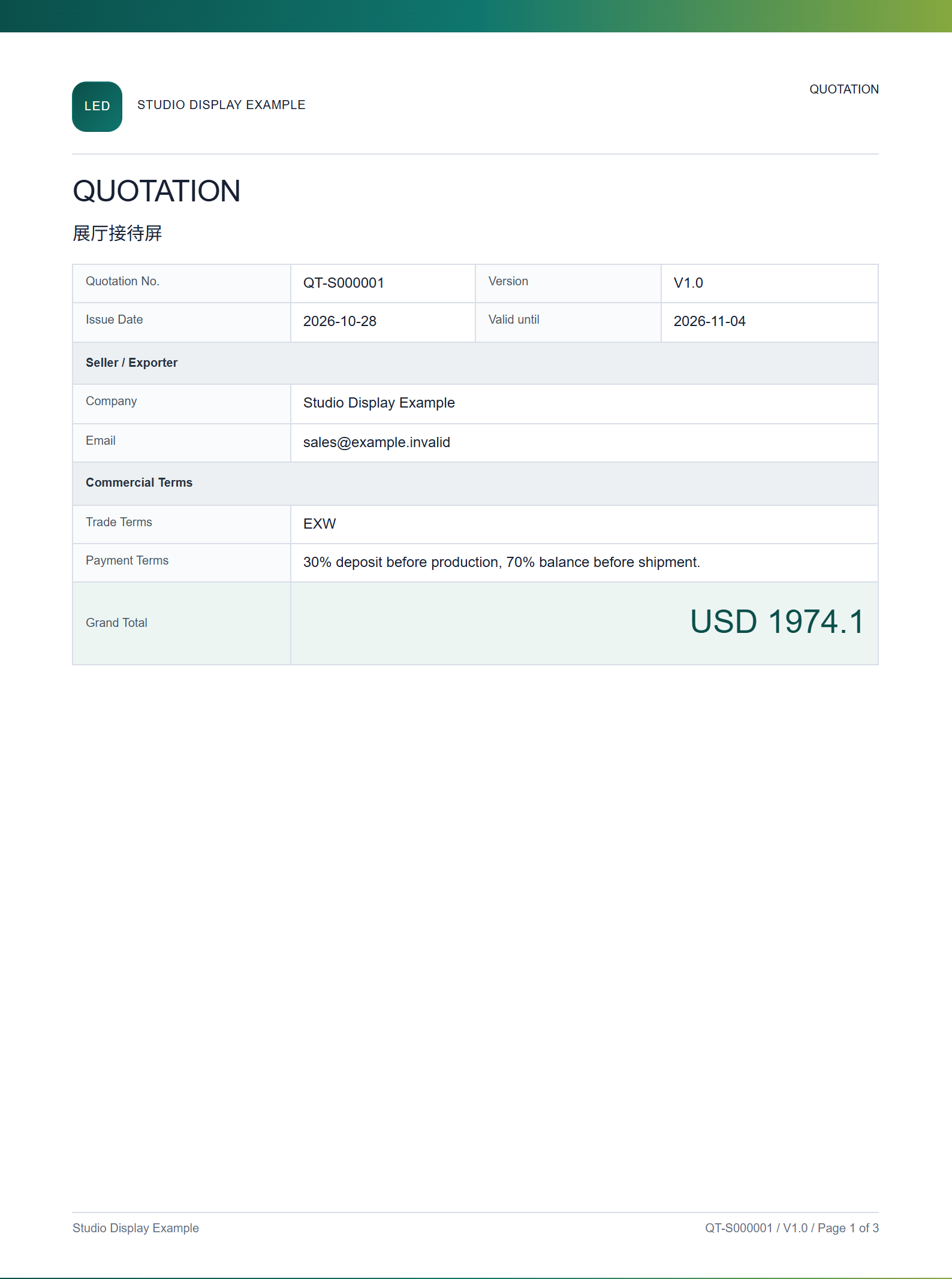
USD 1,974.10
Sample quote, page 1: Project overview
Project overview
Sample quote, page 2: Specifications and materials
Specifications and materials
Sample quote, page 3: Line items and total
Line items and total

Project prices follow the pricing rules assigned to the team member. Quotes and pro forma invoices can use your company details and document layout.

03 / Parts and bills of materials

Reuse familiar parts on the next project

Keep track of which power supplies and receiving cards go with each module. On the next job, sales can start with the customer’s requirements.

Materials and componentsShared catalog

Frequently used parts

Studio P2.5 moduleModule
5 V, 200 W power supplyPower supplies
HUB75 receiving cardReceiving cards
Dual-port controllerController

Import parts from Excel and keep specifications, prices and attachments with each item.

What goes with this module?

Example bill of materialsStudio P2.5 module
  • Power supplies
  • Receiving cards
  • Cables
04 / Project handoffs

See what was quoted, even after the project changes

Authorized team members submit and approve configurations. A rep taking over an account can compare the current project with the quote originally issued.

Project handoffShowroom display

Project status

  1. 01Draft
  2. 02Submitted
  3. 03Approved
  4. 04Archived

What the next rep can check

  • Project detailsCurrent parts, quantities and prices
  • Price historyPrevious price adjustments
  • Past quotesSpecs and prices as quoted

Projects and materials are included with Enterprise and available as an add-on for Basic and Professional.

Compare plans →

