LED DISPLAY SOLUTIONS
From screen requirements
to a quotation.
Compare configurations, check the materials, then use the same specifications and amounts in a quotation.
Showroom reception display
Configure a display for this project
Keep the display configuration and materials in the project.
Studio P2.5
Compare three options for the same screen requirement.
View Studio details ↗Studio P2.5
Indoor LED module · 320 × 160 mm
| Material | Quantity | Amount |
|---|---|---|
| ▦Studio P2.5 moduleInstalled module | 36 pcs | $1,008.00 |
| ◇5V 200W power supplySupporting material | 6 pcs | $144.00 |
| ◇Input power cableSupporting material | 1 pcs | $12.00 |
| ◇HUB75 receiving cardSupporting material | 4 pcs | $168.00 |
| ◇5m network cableSupporting material | 1 pcs | $8.00 |
| ◇2-port controllerSupporting material | 1 pcs | $260.00 |
| ◇Wall mounting frameSupporting material | 1.8432 m² | $175.10 |
| ◇Module ribbon cableSupporting material | 36 pcs | $54.00 |
| +Module ribbon cableSpare | 2 pcs | $3.00 |
| +5m network cableSpare | 1 pcs | $8.00 |
| +Input power cableSpare | 1 pcs | $12.00 |
| +Studio P2.5 moduleSpare | 2 pcs | $56.00 |
| +5V 200W power supplySpare | 1 pcs | $24.00 |
| +HUB75 receiving cardSpare | 1 pcs | $42.00 |
Add a recommended product unit
Daniel · Showroom reception display. Add a product unit, then enter the requirements.
Set the requirements
Showroom reception display · Indoor · P2.5 · 1 set
1920 × 960 mmCompare options, then choose
Value costs less but is smaller. Plus ranks higher for profit but is larger. The customer needs an exact fit, so we choose Studio. Profit index is a relative ranking, not a profit amount.
← 1920 mm →960 mm6 columns × 6 rows768 × 384 pxStudio P2.5 · 320 × 160 mm · 36 modules
Return to the project and review the saved unit
36Installed modules2Spare modules1Complete setMaterial Quantity Amount ▦Studio P2.5 moduleInstalled module 36 pcs $1,008.00 ◇5V 200W power supplySupporting material 6 pcs $144.00 ◇Input power cableSupporting material 1 pcs $12.00 ◇HUB75 receiving cardSupporting material 4 pcs $168.00 ◇5m network cableSupporting material 1 pcs $8.00 ◇2-port controllerSupporting material 1 pcs $260.00 ◇Wall mounting frameSupporting material 1.8432 m² $175.10 ◇Module ribbon cableSupporting material 36 pcs $54.00 +Module ribbon cableSpare 2 pcs $3.00 +5m network cableSpare 1 pcs $8.00 +Input power cableSpare 1 pcs $12.00 +Studio P2.5 moduleSpare 2 pcs $56.00 +5V 200W power supplySpare 1 pcs $24.00 +HUB75 receiving cardSpare 1 pcs $42.00 USD $1,974.10
Showroom reception display
Engineering materials
Also includes frame, cables and spares · 14 lines total
Commercial Documents
Studio P2.5 · 1920 × 960 mm
1 set · USD 1,974.10
Your configuration, in a complete quotation
Specifications, items and amounts in one document.
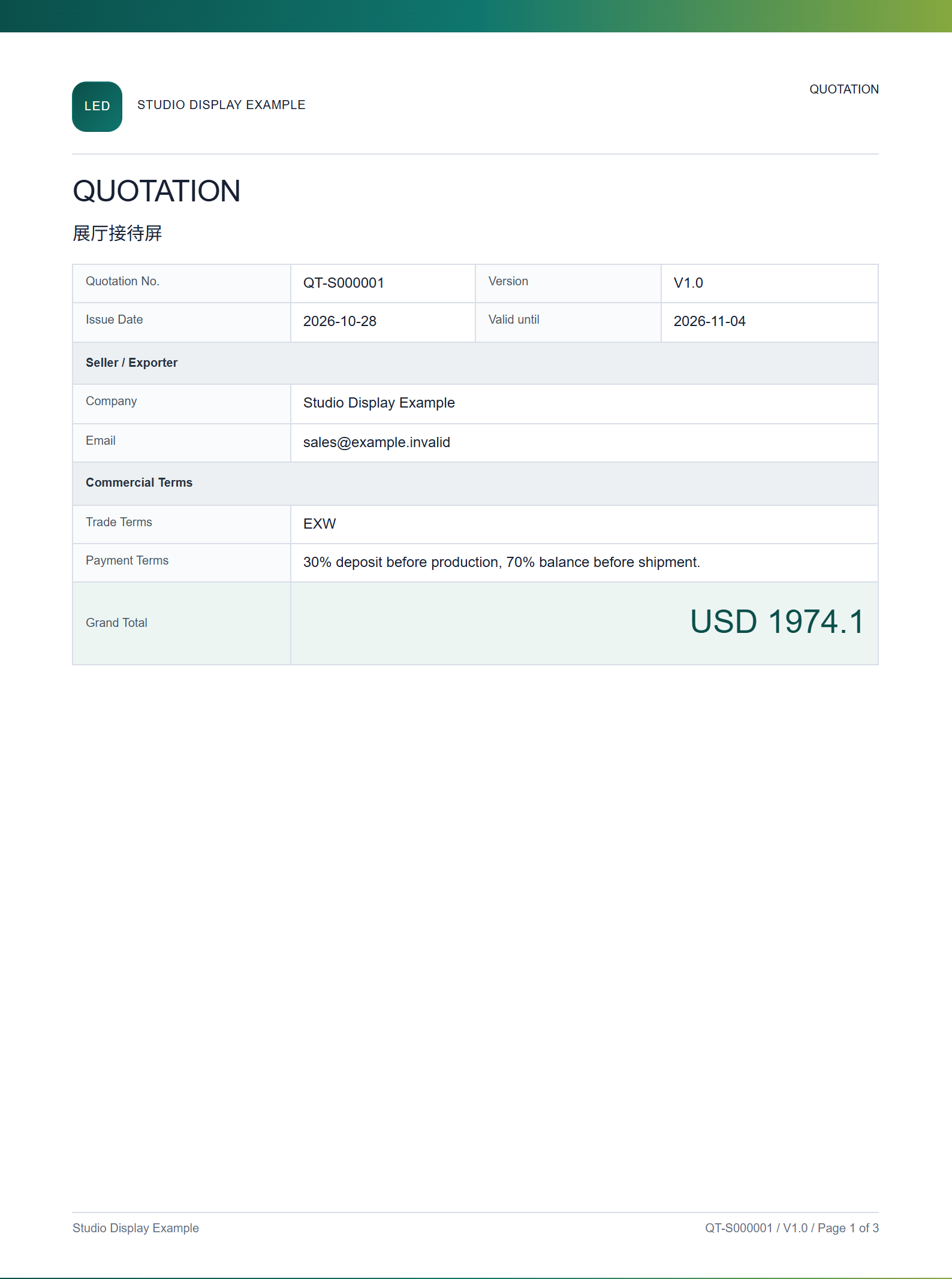
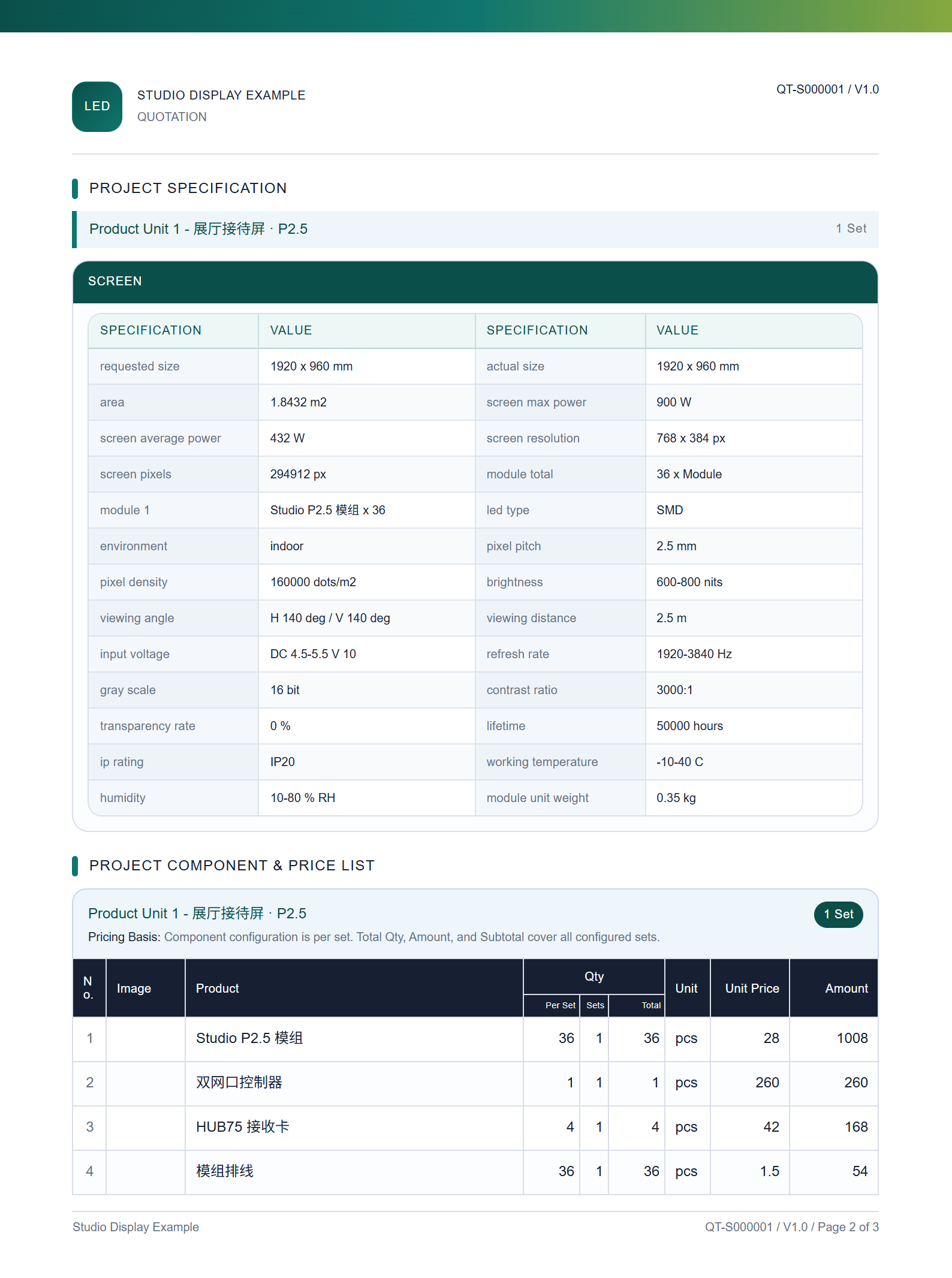
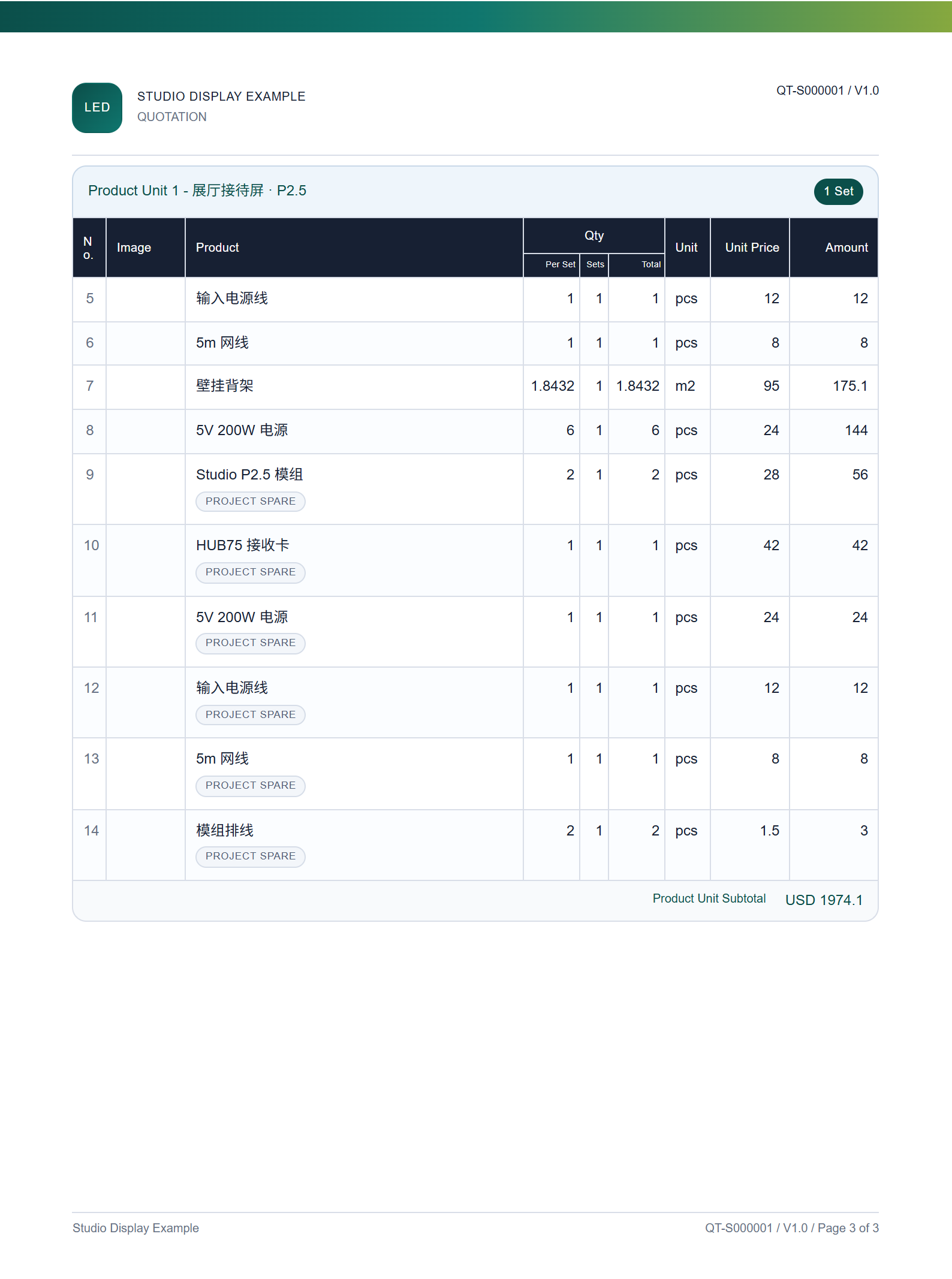
CONFIGURATION → QUOTATION
Showroom reception display
Review the specifications, materials and amounts in the quotation generated from the approved configuration.